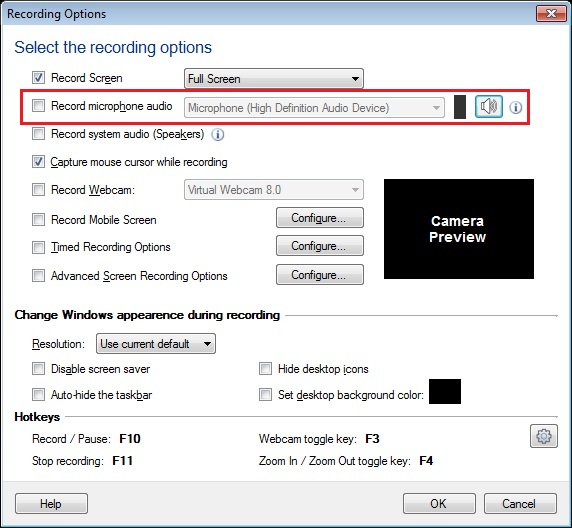
You can disable audio recording in
My Screen Recorder Pro and record just video.
To start recording, when you click on
Record icon from toolbar, do not check the option to 'Record microphone audio'. Start creating screen recordings and note that audio will not be recorded. You can also configure this from
Settings >> Recording Options.

 Sign In

 ▾
▾
